Getting started
How Local Eyes works
Start with a state or region, explore its towns, see what's on, and follow the interests you love.

Start here
Start with the whole picture
Start here
Start with the whole picture
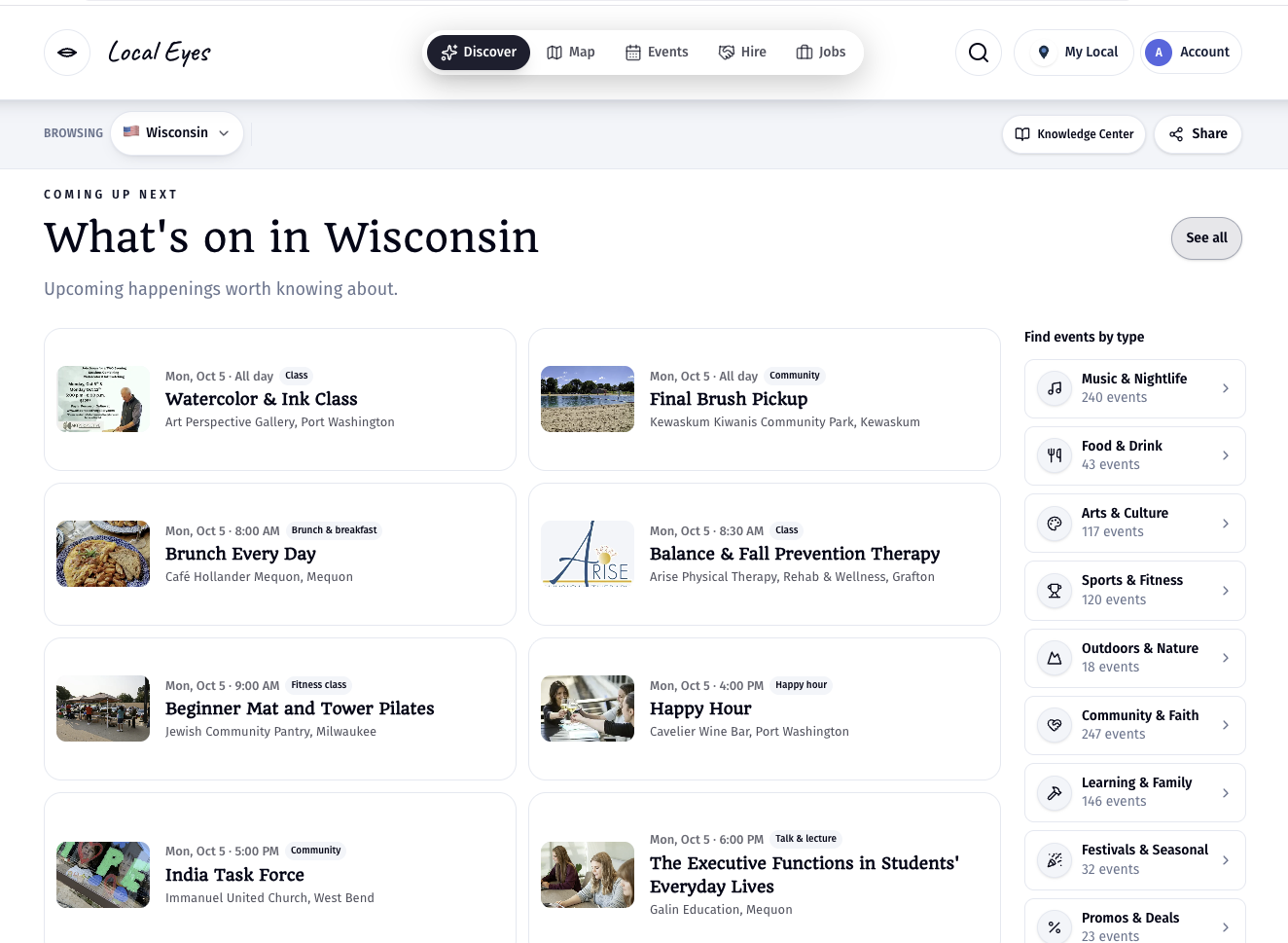
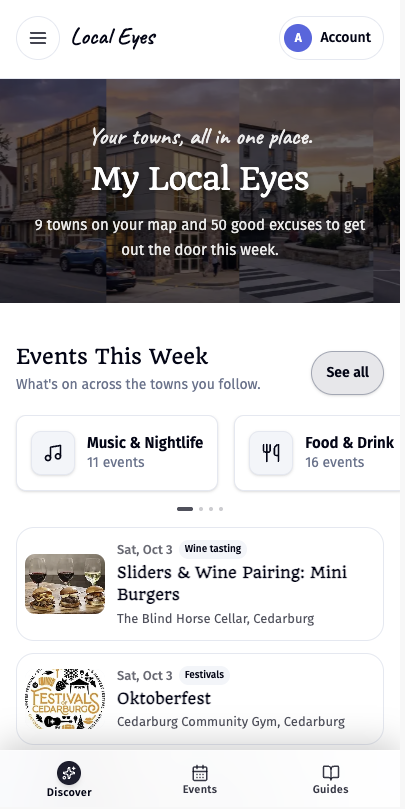
Local Eyes connects towns, local businesses, events and interests in one guide. You can land anywhere: a town, a state or region, an interest, a guide or a single event. This guide starts with the widest view. The state or region page introduces the area, shows towns you can explore, brings together upcoming events, and gives you ways to follow a subject you care about. You can browse without an account. Nothing is limited to one place; choose another region from the Browsing bar whenever you want to explore elsewhere.
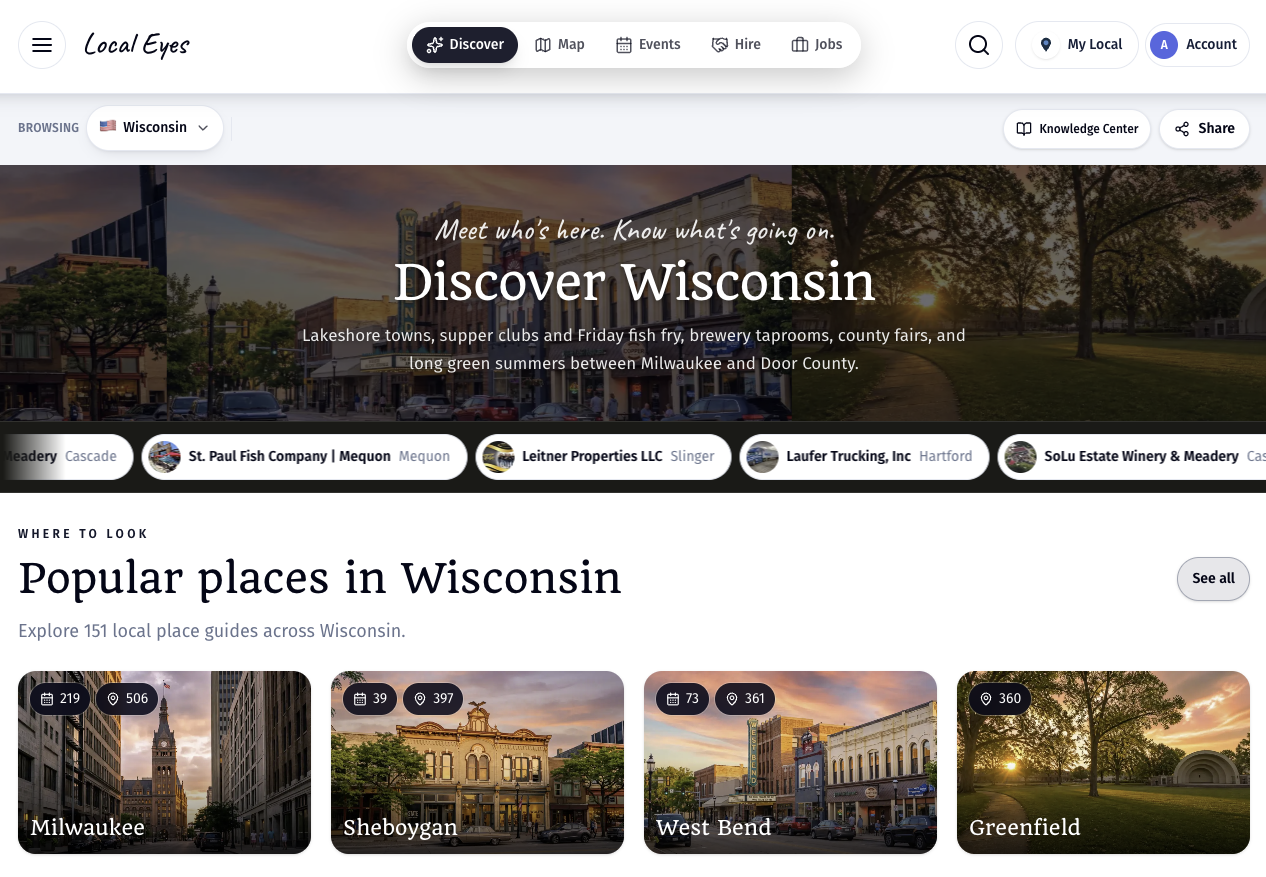
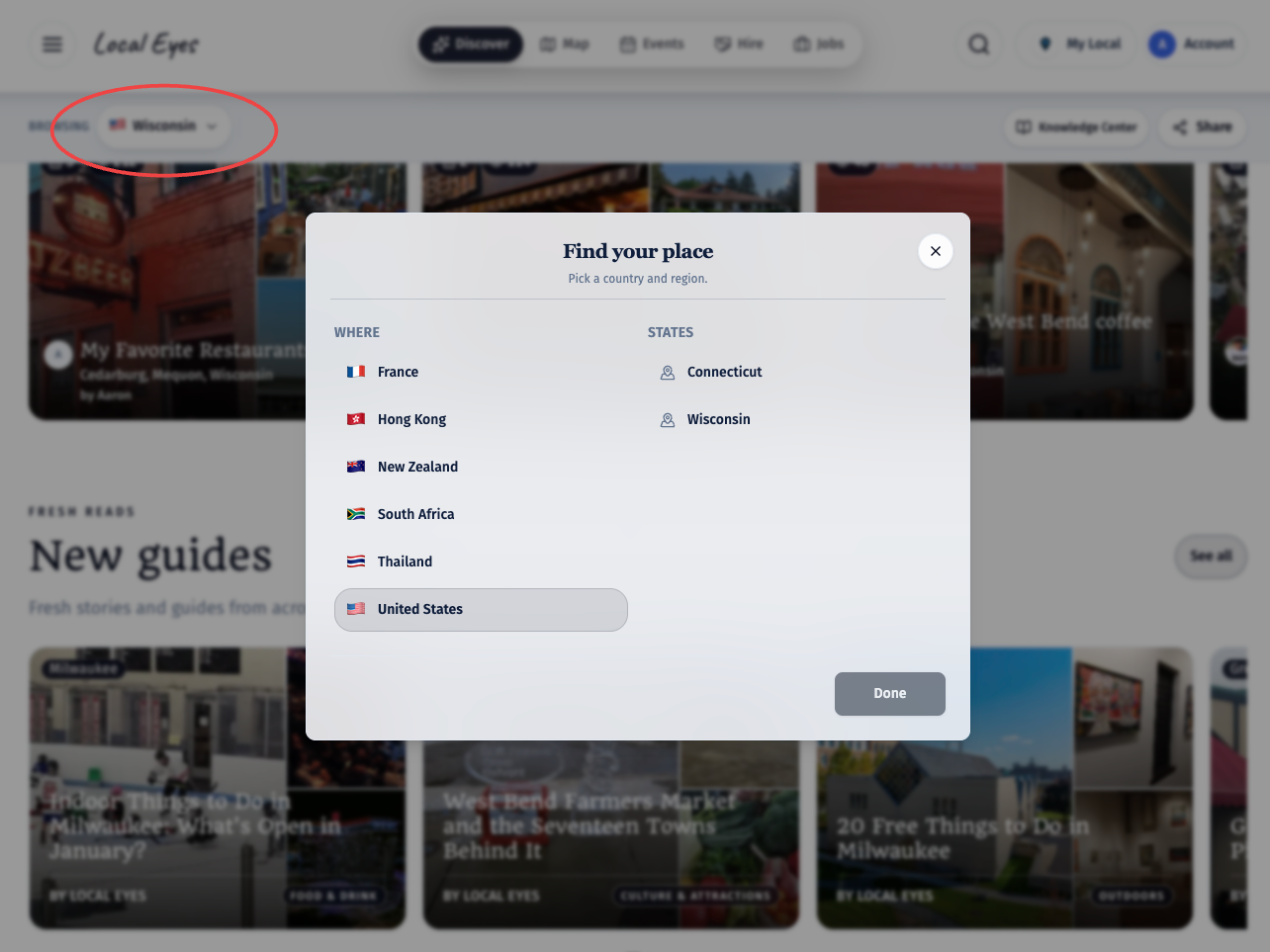
- 1Use the Browsing barThe Browsing bar sits just under the main menu. Select it to open Find your place, then pick a country and a state or region.
- 2Explore what's thereMove between local businesses, upcoming events and interests without starting a new search each time.
01 · Towns
Discover the towns and their places
01 · Towns
Discover the towns and their places
The state or region page shows popular town cards first, then more towns below. Each town has its own page, so selecting one takes you from the overview into its local guide. The small numbers on the town cards and beside town names show how many listings and upcoming events each town has. They're a quick way to see how much is going on, not a ranking of which town is best. Open a town to browse its businesses and venues, see its upcoming events, and get a feel for what's local to that community. If you'd rather browse by location, the map shows all available towns together. The selection isn't fixed: it changes as places and events are added.
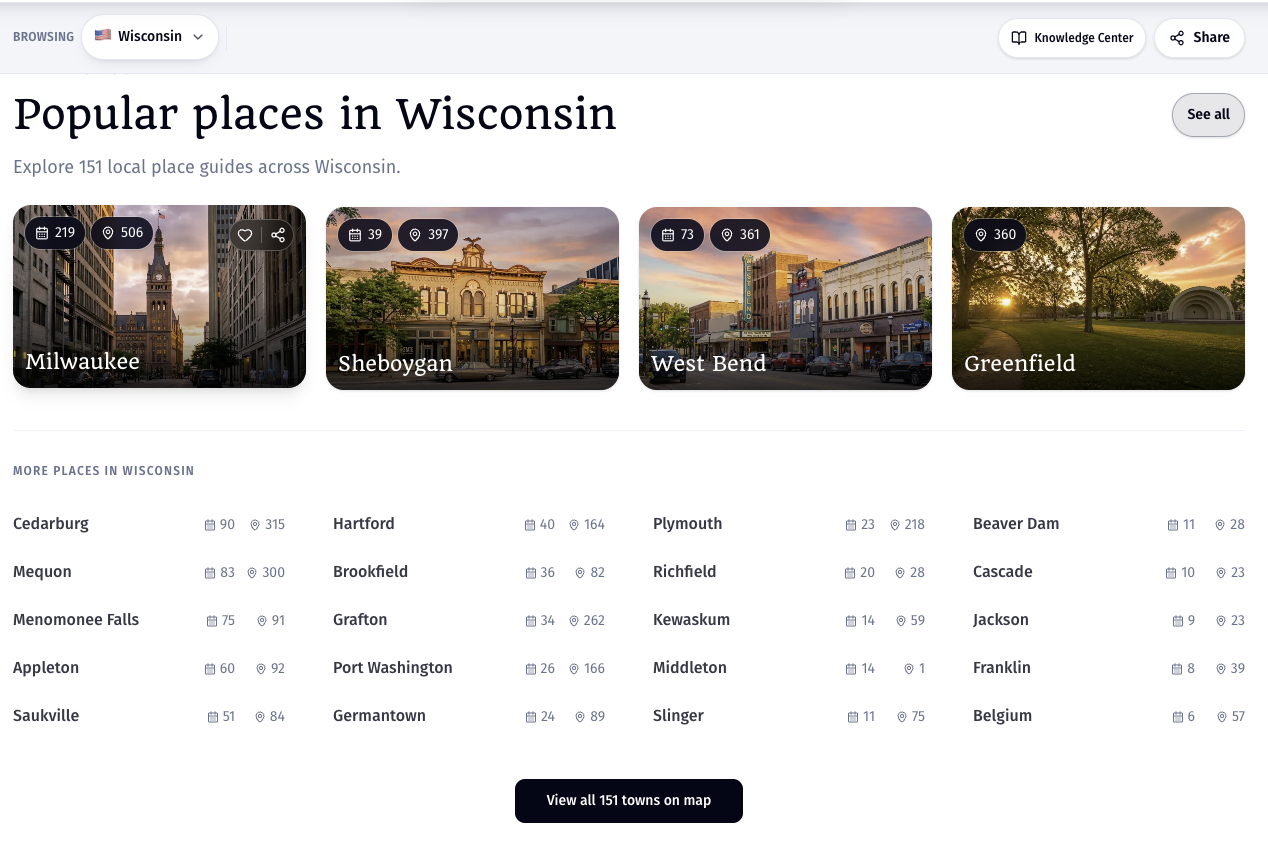
- 1Start with a town cardChoose a pictured town to open its local guide.
- 2Look beyond the first rowMore towns appear underneath, with place and event counts beside each name.
- 3Use the mapView all towns on the map when you want to explore by location instead of a list.
A town page is the close-up view. The state or region page helps you compare and discover across towns.
02 · Events
See what's on across the region
02 · Events
See what's on across the region
The What's on section gathers upcoming events from towns across the state or region, with the date and time, event name, type, venue and town together. It's useful when you haven't picked a destination yet: a show in one town, a tasting in another and a community gathering elsewhere can all appear in the same view. Choose an event to read its details before you go. Use See all or the Events tab to browse the full calendar, then narrow it by type, town, interest or who it's for. If you already know where you want to go, open that town's guide for its local events instead. Events and counts change as dates pass and new events are added.
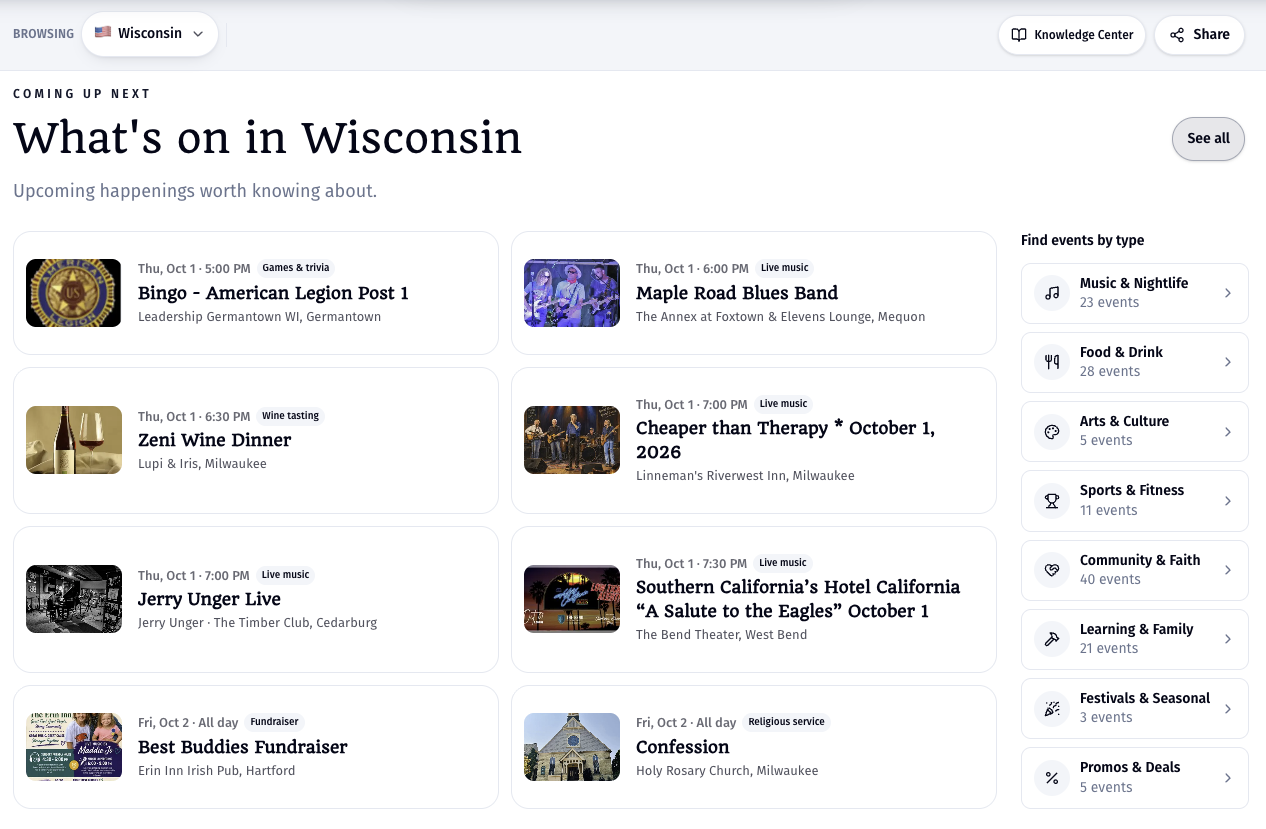
- 1Scan what is coming upEach preview gives you the date, time, type, venue and town at a glance.
- 2Choose a typeTry live music, food and drink, arts, family activities or another event type.
- 3Narrow the full calendarOpen Filters on the Events page to narrow by type, town, interest or who it's for.
03 · Interests
Choose what you're into
03 · Interests
Choose what you're into
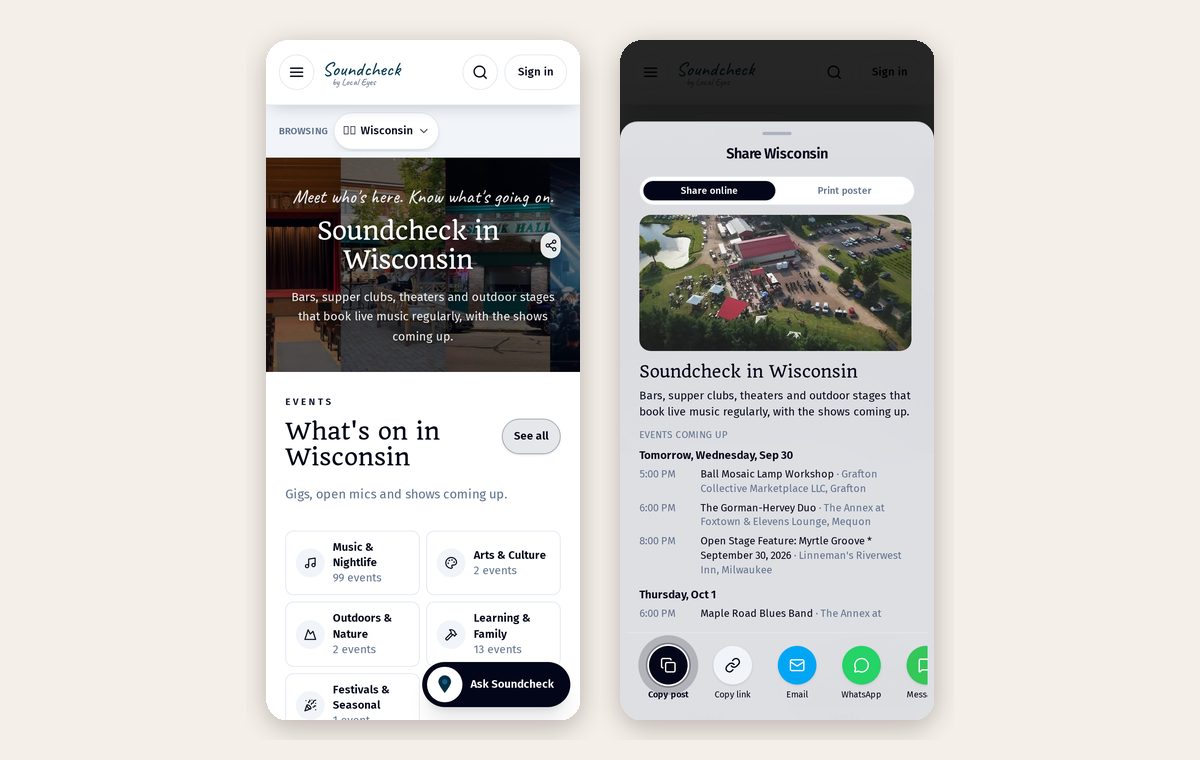
An interest guide starts with a subject rather than a town. Pick something you love, such as live music, wineries, farmers markets or fitness, and see relevant places and events gathered from across the region. The cards show the number of places and events linked to each interest, so you can see the scope before opening it. Many interests have their own name, such as Soundcheck for live music, Wine Trail for wineries or Market Day for farmers markets. Open one to explore across town boundaries; use a town guide when you want to stay local. Follow an interest or a town to keep up with what's new, and return to the state or region view whenever you want to try another theme.
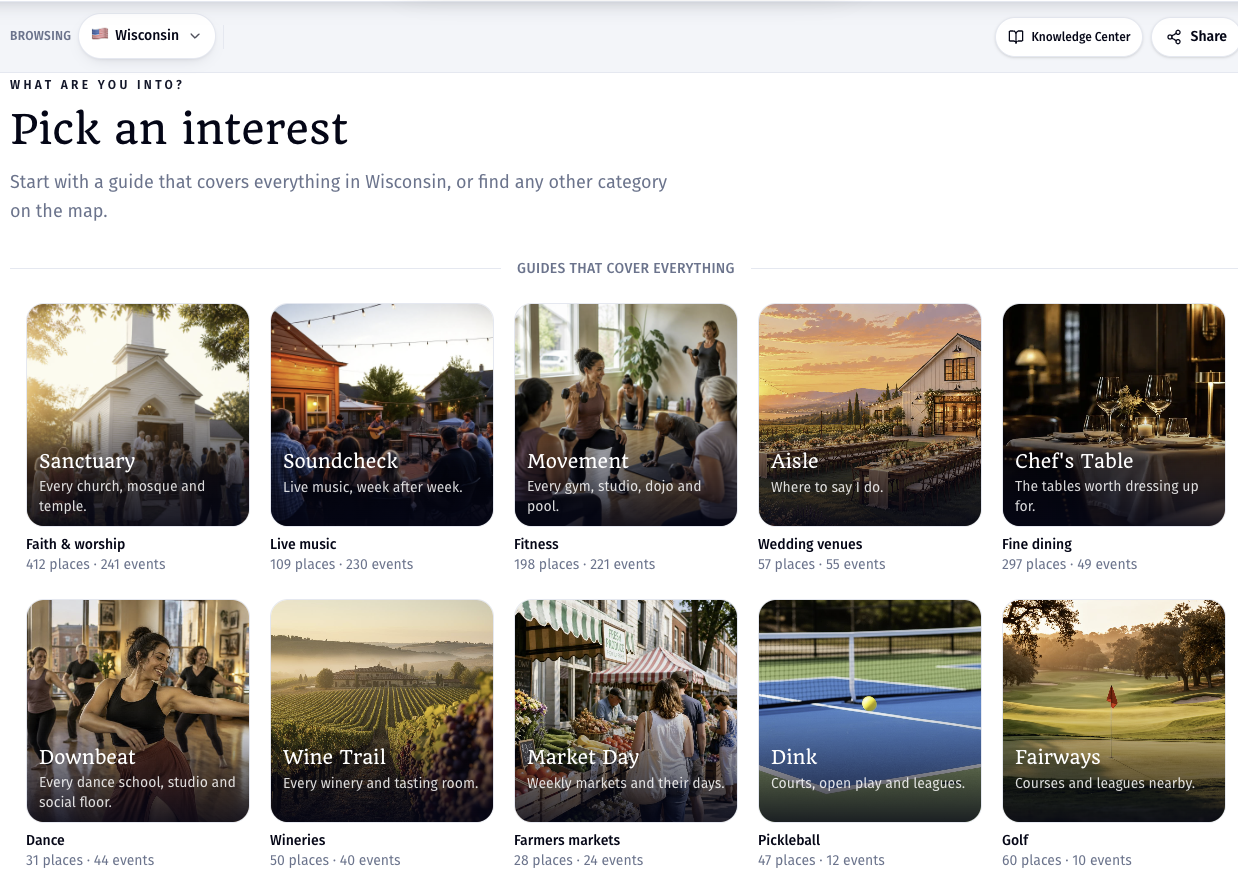
- 1Pick a themeChoose a subject that interests you. You don't have to choose a town first.
- 2Explore across townsSee relevant places and events across the region in one themed guide.
- 3Keep exploringFollow the interest or the towns you care about, or return to the region view to try another one.
04 · Voices
Everyone gets a say
04 · Voices
Everyone gets a say
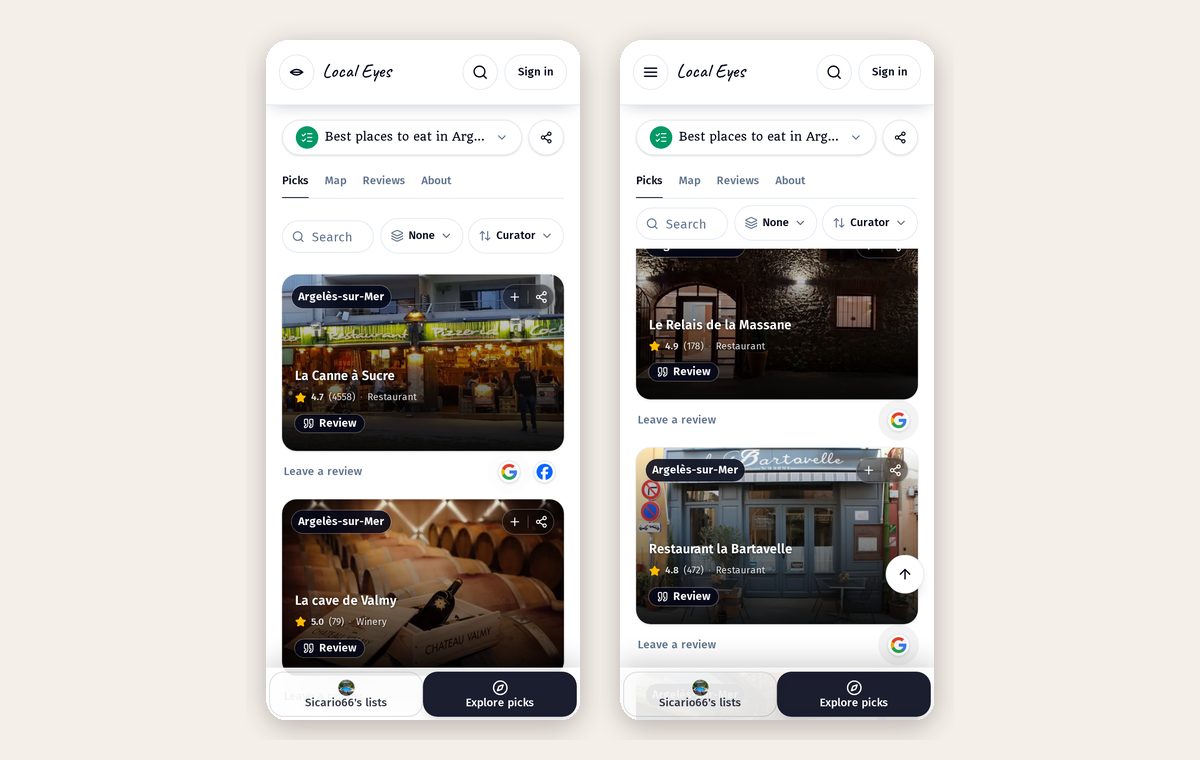
Local Eyes gives everyone a voice. Local Eyes guides are our own editorial picks: the places we think are most worth your time. Recommendation lists are made by anyone, local or visitor, in their own words. Local businesses tell their own stories through Booster interviews, published as guides under their name. Each one shows who made it, so you always know whose take you're reading. You can build a recommendation list in a few minutes, and businesses can read about Booster interviews.
- 1Read the guidesLong reads from Local Eyes and stories from local businesses sit on each town's Guides tab.
- 2Browse recommendationsSee the lists locals and visitors have made, and the places they'd send a friend to.
- 3Make your own listPick the places you'd send someone to, add a line about each, and share it as one link.
Keep exploring
Make Local Eyes your own
Keep exploring
Make Local Eyes your own
Start wide with a state or region, zoom in to a town, or follow an interest across several towns. Save places and events you want to come back to, follow the towns and interests that matter to you, and share a useful page with someone else. Saving and following need a free account.
A good first visit: choose a town, check what's on this week, then open an interest that matches something you enjoy.