Getting started
Find something happening
Start across a region, narrow to a town or an interest, and check an event before you go.

Start here
Start wide: what's on across a region
Start here
Start wide: what's on across a region
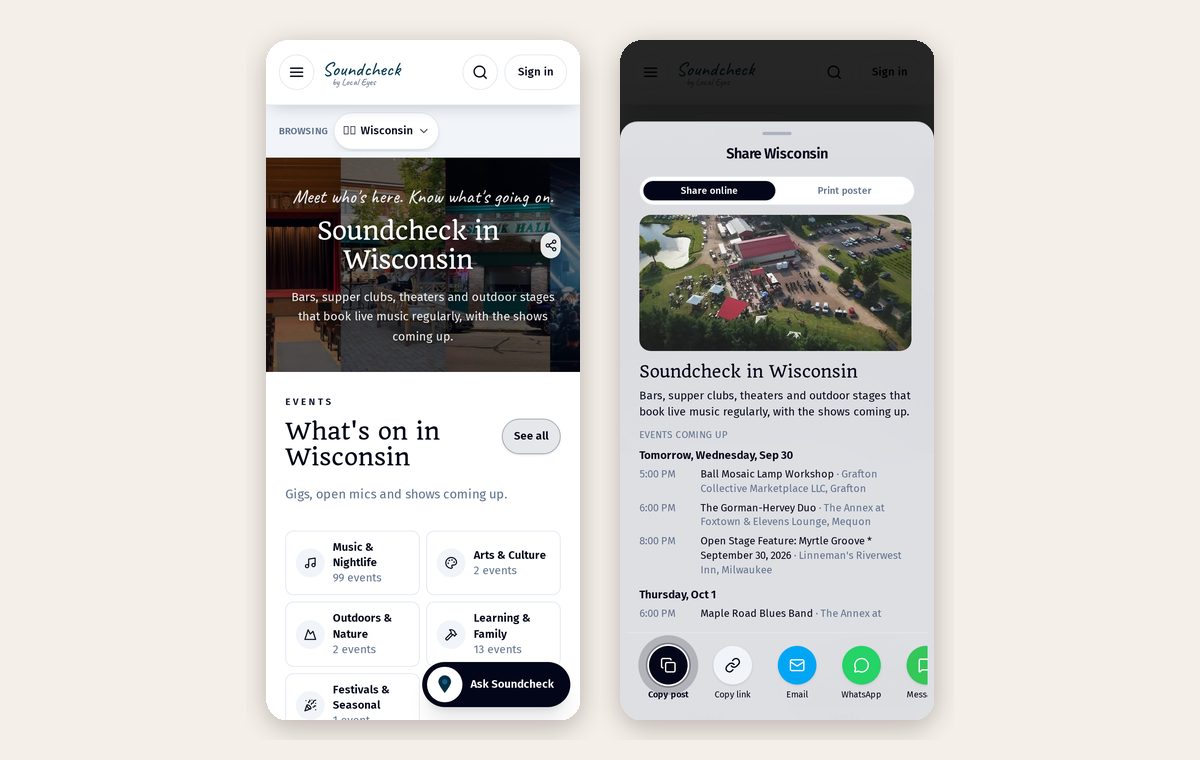
Not sure where to go yet? Open a region from Discover and look for What's on. It brings upcoming events from its towns together in one place, so you can spot a class in one town, a market in another or live music nearby. Choose See all to browse the full regional events list, or use Find events by type to start with what interests you. You can explore without signing in.
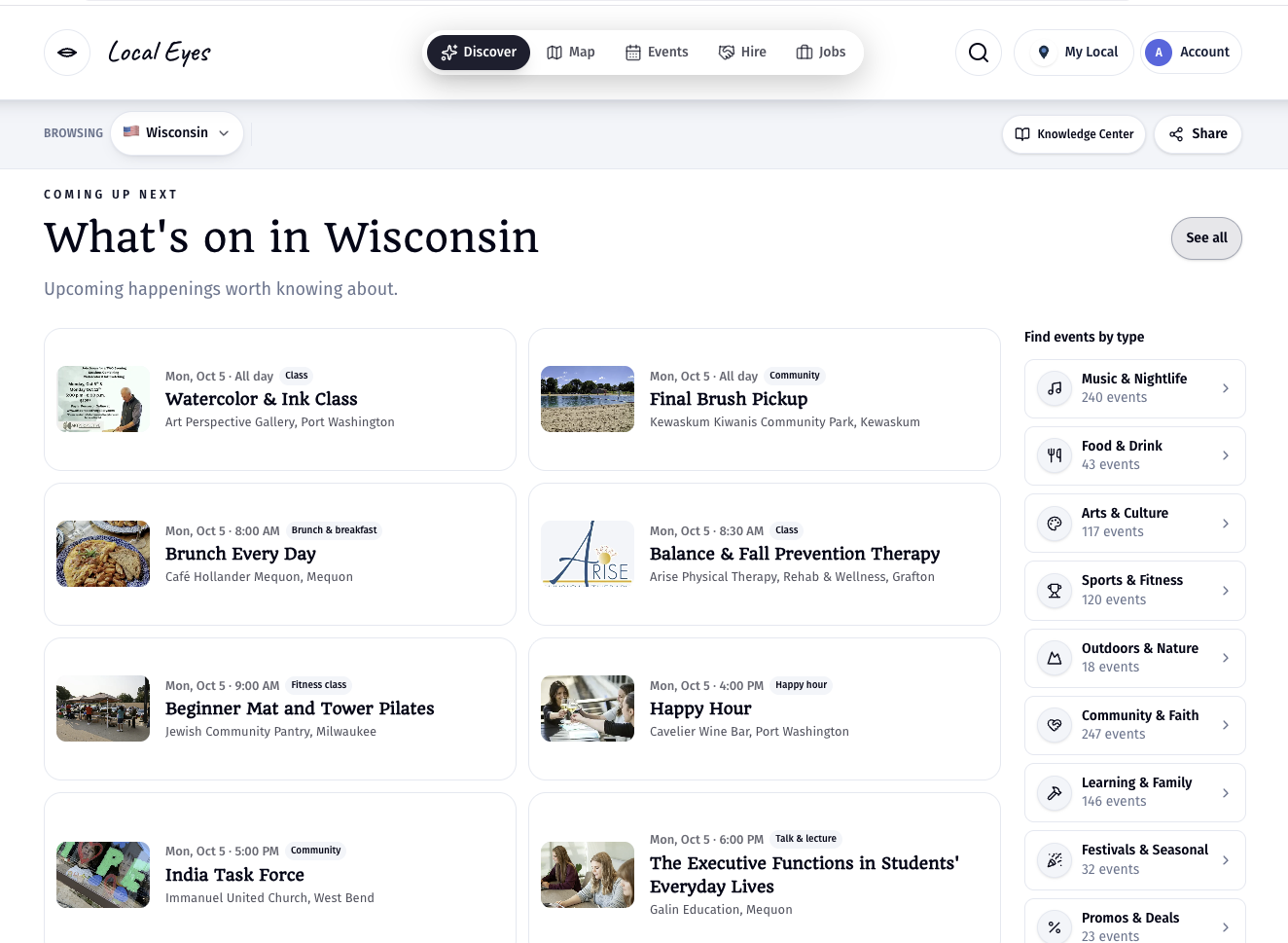
The region view is a starting point: select a town or an event whenever something catches your eye.
01 · In a town
Narrow it to one town
01 · In a town
Narrow it to one town
Know where you want to be? Open that town's Events tab. The Milwaukee example shows events grouped by day, with the time, type, title and venue on each card. Switch between By time and By type, open Filters to narrow by type, town, interest or who it's for, or tap a date on the calendar to plan a particular day. On a phone, Events is in the bottom navigation.
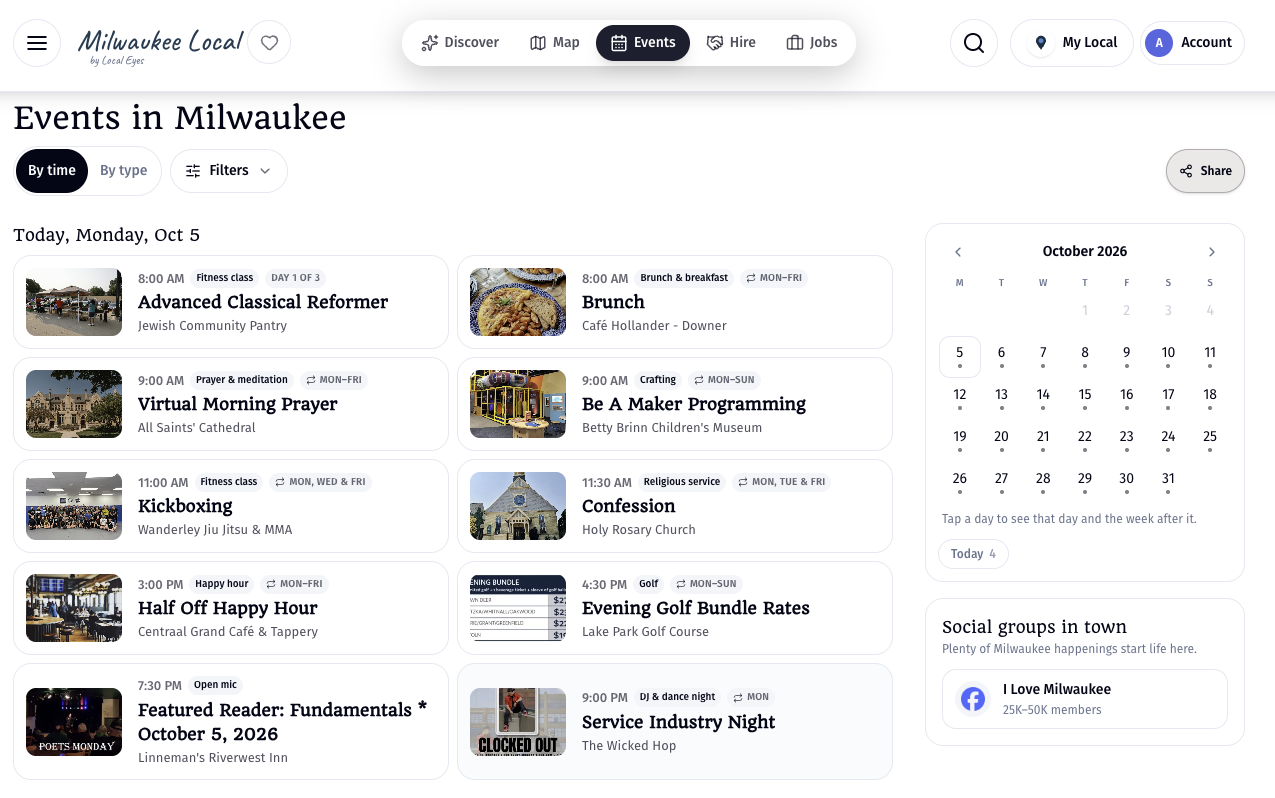
- 1By timeSee what's coming up soonest, grouped by day.
- 2By typeFocus on the kinds of events you want to attend.
- 3Filters and calendarRefine the results or jump to a date that works for you.
02 · Find your thing
Follow an interest across towns
02 · Find your thing
Follow an interest across towns
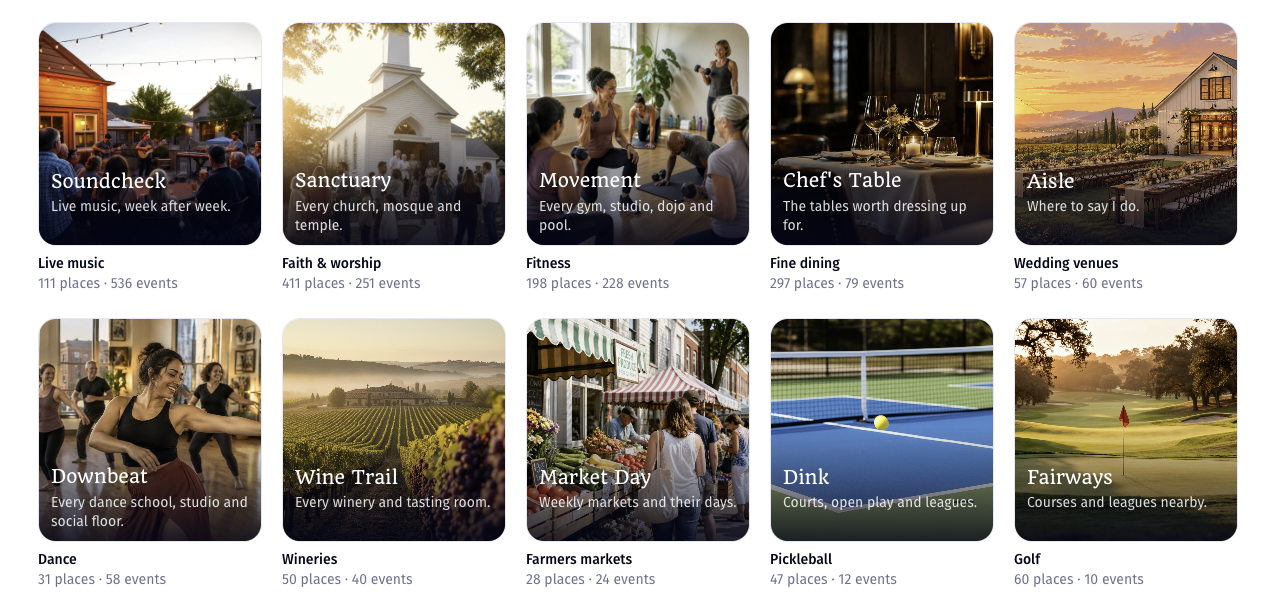
You don't have to pick just one town. Explore interests such as Soundcheck for live music, Sanctuary for faith and worship, Movement for fitness, Chef's Table for fine dining, or Market Day for farmers markets. Each interest brings its places and relevant upcoming events together across a region. Open an interest that catches your eye, then use its Events view to see what's on for that theme. Event counts on the interest cards give you a sense of what's coming up. What interests are explains how they work.
03 · Before you go
Open an event for the details
03 · Before you go
Open an event for the details
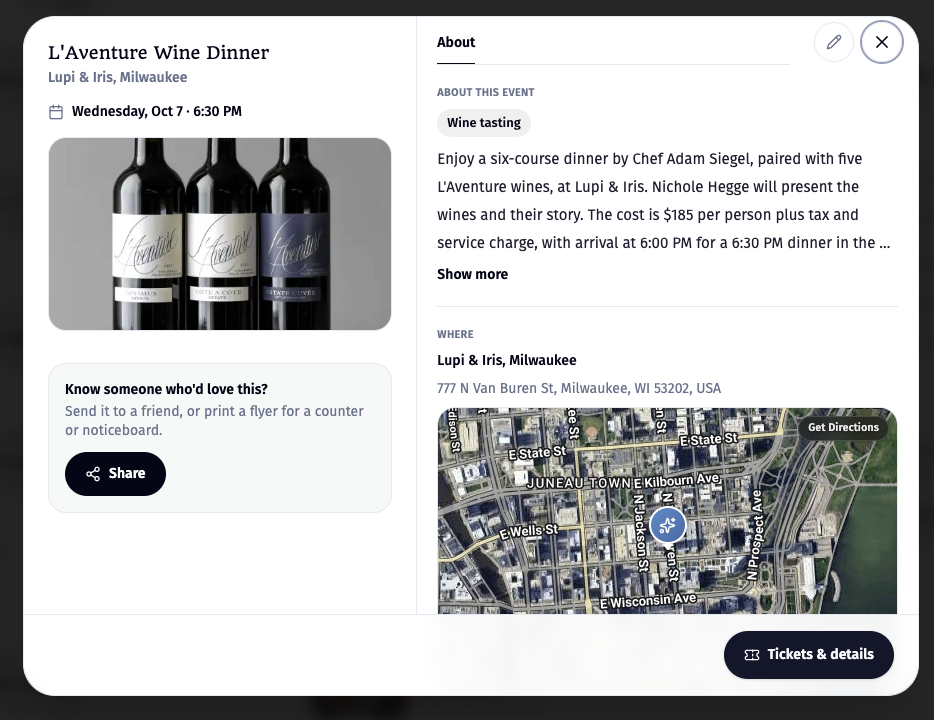
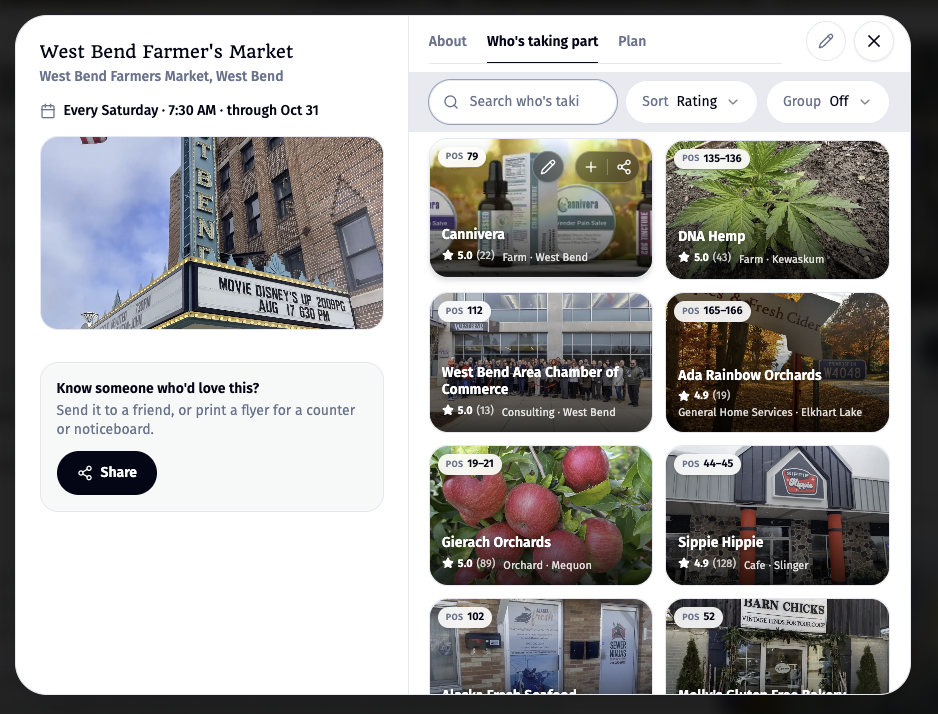
Select an event card to check the date and time, the organizer or venue, the full description and the address. The example shows a wine dinner at Lupi & Iris in Milwaukee, with a map, directions, a Tickets & details button and a Share button that sends it to a friend or prints a flyer for a counter or noticeboard. Read the description and follow the event's booking link when one is available; check the venue before setting out. There are two ways to find the same event. The event's Who's taking part tab lists every business, maker and vendor involved. The West Bend Farmer's Market example shows Cannivera, DNA Hemp, Gierach Orchards and more, each with its stall position. Open any of them and the event appears on their page too, under Appearing at. So you can start from the event and discover everyone in it, or start from a business you like and see where they'll be.
04 · Stay in the loop
Get next week’s events by email
04 · Stay in the loop
Get next week’s events by email
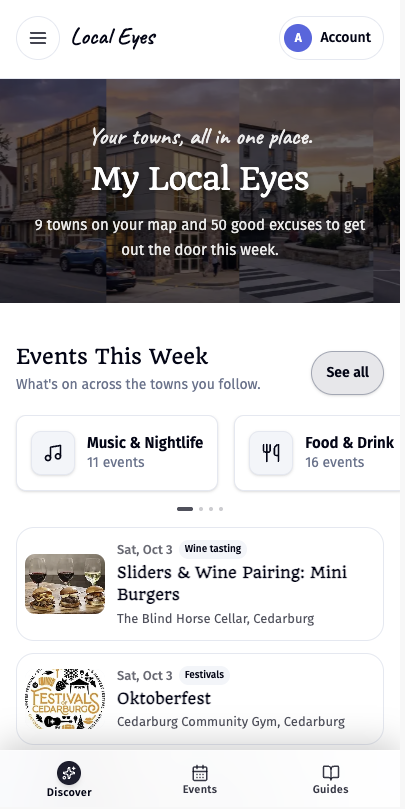
Follow a town to get its upcoming events in your weekly email, like the Your week ahead example below. You can follow more than one town and see them together in My Local Eyes. Following needs a free account. Your towns, your week has the steps on desktop and phone.
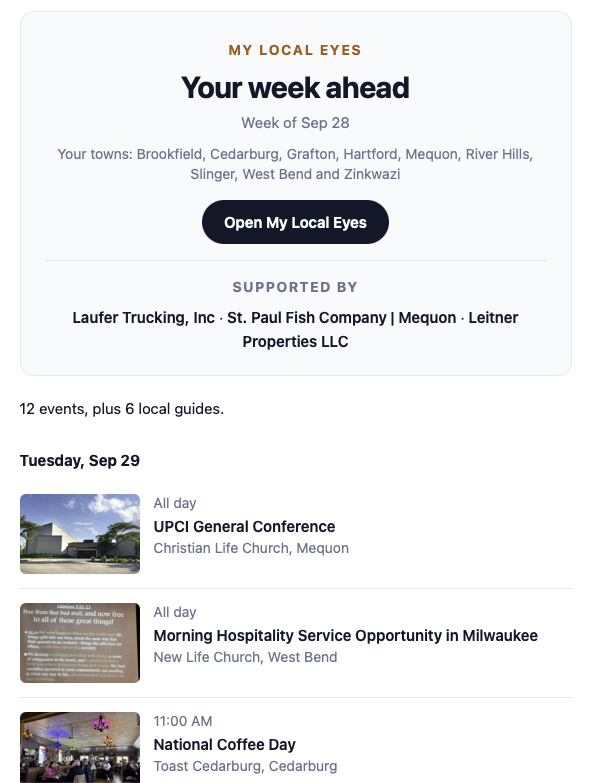
- 1Follow a townUse Follow on the town page to add it to My towns.
- 2Watch your inboxThe weekly email brings you events from the towns you follow.